Built for creators
Not made for the masses — made for the girl behind the camera. These presets help you stand out, not blend in.
Official Photo GIRL presets · 7 Lightroom presets
Photogirl's 7 signature looks — soft film, editorial flash, timeless B&W — in one download.


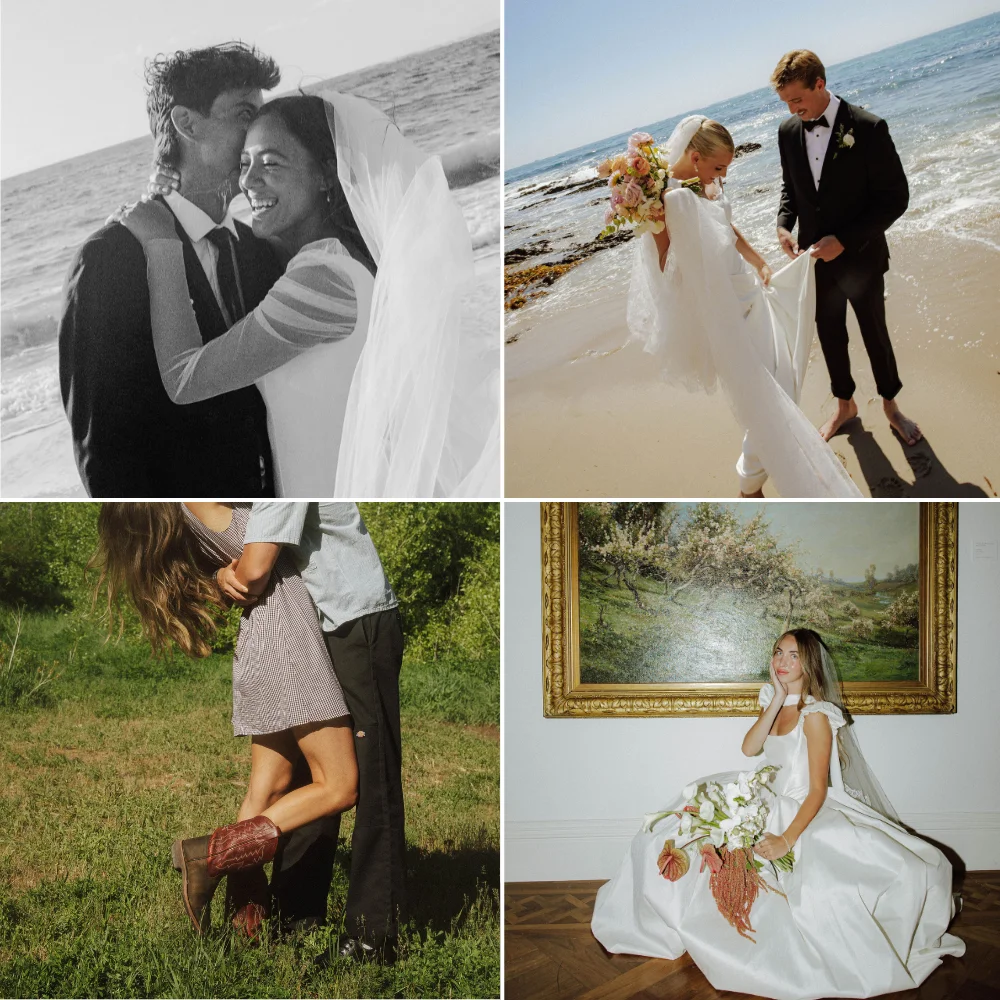
The Classic. For when you want your photos to feel timeless but still vintage.
Secure checkout with Stripe · Download link sent to your email · No account needed
More before & afters
The exact presets I use
After years of editing behind the scenes — from luxury weddings to sunlit couple shoots and late-night content sessions with creators — the Photo GIRL presets by Bailee Merry are finally here. This original collection is the result of hundreds of professional shoots, countless hours in Lightroom, and endless DM requests asking “what preset do you use?”
Each preset was crafted with real photographers in mind — designed to work in imperfect lighting, honor skin tones, and bring out emotion in every image. They aren’t filters — they’re a signature. And now, they’re yours.
“Third preset bundle I've bought, first one that works on my actual weddings. A full gallery now takes me one evening instead of three.”
Rachel M., Charleston SCVerified buyer
Why Photo GIRL is different
We get it — you’ve tried the Instagram filters, paid for VSCO & Tezza, and still didn’t get that look. Presets made to work for everyone don’t work perfectly for anyone. Photo GIRL presets are handcrafted individually by Bailee Merry, who actually shoots modern weddings, iconic couples and luxury content — so every preset is designed to elevate your image, not just throw a filter on top.
Not made for the masses — made for the girl behind the camera. These presets help you stand out, not blend in.
Every preset is designed with intention — soft light, editorial tones, and just the right amount of glow.
Tested across lighting, skin tones and locations to deliver that clean, reliable effect every time you edit.
We watch the feed so you don’t have to. Stay ahead of the ever-changing aesthetic — it’s baked right into your presets.
How it works
As soon as you check out, all 7 preset files, the Preset Instructional Guide and the Editing Tips + Adjustments Guide land in your inbox.
Follow the Preset Instructional Guide to add all 7 presets to Lightroom on your desktop.
Every preset is yours, so pick whichever fits the photo — soft & dreamy or crisp & editorial.
Apply it, tweak exposure or white balance if needed — and you’re done.
These presets work with Adobe Lightroom Classic, Lightroom CC, and Photoshop on a desktop computer.
No. Apply a preset, then nudge exposure or warmth to suit the photo — the included Editing Tips + Adjustments Guide shows you how. Every photo is different, so a small tweak sometimes gets you the exact look you want.
Right after payment is confirmed, your download link is sent to the email address you enter at checkout. No account is required. Check your spam folder or email us if it hasn’t arrived.
No. The bundle is a one-time purchase of $129.99 USD. Adobe Lightroom is separate and is not included.
All 7 looks. One download.
7 presets · Preset Instructional Guide · Editing Tips + Adjustments Guide · Instant email delivery
$129.99 USD · One-time purchase · Secure checkout